01. Install KODI v18.8 Leia or later for your OS
02. Start Kodi and click Settings icon

03. Click System settings

04. Turn on Unknown sources in Add-ons left pane, then go back to previous screen by clicking back button on remote

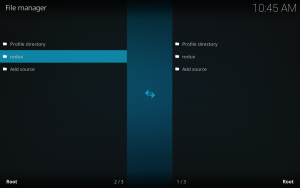
05. Select File manager

06. Click Add source

07. Click <None>

08. Type in https://i-a-c.github.io/ and then click OK button

09. Place cursor in media source box and click OK to open keyboard and name the source redux and click OK button

10. You will see that redux has been added to your Kodi File manager
11. Go back to previous screen of Kodi by clicking back button on your remote and click Add-ons
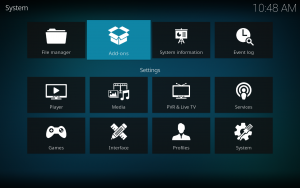
12. Click Install from zip file

13. Click redux

14. Click the repository.exodusredux-0.0.x.zip file

15. Wait until you see Exodus Redux Repo Add-on installed message appear on the right top corner

16. Click Install from repository

17. Click Exodus Redux Repo I-A-C – 0.0.9(x)

18. Click Video add-ons

19. Click Exodus Redux – I-A-C – 2.0.3a(x)

20. Click Install

21. Click OK to install additional add-ons with Exodus Redux (23 items)

22. Wait for Exodus Redux success message: Add-on installed in the right upper corner
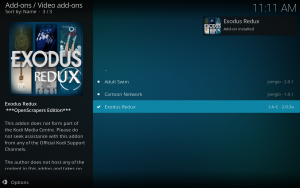
23. Go back to Kodi home screen and launch Exodus Redux add-on

24.Enjoy Exodus Redux!
Note: If Exodus Redux doesn’t work properly after installing, try powering off your streaming device and power back on.